
How to Install and Troubleshoot Ethernet Connector RJ45
2025-06-06
Ethernet connectors play a pivotal role in establishing reliable network connections, and the RJ45 connector stands as the industry standard for wired Ethernet setups. Whether you’re a network administrator or a DIY enthusiast, understanding how to install, maintain, and troubleshoot RJ45 connectors is essential for ensuring seamless connectivity. This article addresses common questions about RJ45 connectors, providing step-by-step solutions and professional insights.
What Is an RJ45 Connector, and How Does It Work?
The RJ45 (Registered Jack 45) is a standardized eight-pin connector used in Ethernet networks to terminate Cat5, Cat5e, Cat6, or Cat6a cables. It resembles a larger version of the RJ11 telephone connector and uses copper wires to transmit data via electrical signals. The connector follows specific wiring standards (T568A or T568B) to ensure compatibility, with each pin assigned to a specific color-coded wire for consistent signal transmission.
How to Properly Install an RJ45 Connector?
Step 1: Gather Essential Tools and Materials
- RJ45 crimping tool (preferably ratchet-style for precision)
- Wire stripper/cutter
- New RJ45 connectors (matching your cable type)
- Ethernet cable (Cat5e/Cat6 for modern networks)
- Network tester (e.g., Fluke Networks MicroScanner)
Step 2: Prepare the Cable
- Trim the Cable End: Cut the cable to the desired length, ensuring a straight edge.
- Strip the Outer Sheath: Use the stripper to remove 1–1.5 inches of the outer insulation without damaging the inner twisted pairs.
- Untwist and Align Wires: Separate the four wire pairs, untwist them gently, and align them according to the T568B standard:
- 1: Orange/White
- 2: Orange
- 3: Green/White
- 4: Blue
- 5: Blue/White
- 6: Green
- 7: Brown/White
- 8: Brown
Step 3: Crimp the Connector
- Insert Wires into RJ45: Push the aligned wires into the RJ45 connector, ensuring each wire reaches the metal contacts at the end. The clip side of the connector should face downward.
- Crimp Firmly: Place the connector in the crimp tool’s slot and squeeze until the tool clicks, securing the pins and cutting excess wire.
Step 4: Test the Connection
Use a network tester to check for continuity. All eight pins should register a successful connection (typically indicated by sequential green lights). If any pin fails, re-examine wire alignment and repeat the crimping process.
Common Troubleshooting Issues with RJ45 Connectors
1. Intermittent Connectivity or No Signal
- Possible Causes: Loose crimp, bent pins, or damaged wires.
- Solution:
- Re-crimp the connector, ensuring tight contact.
- Inspect the connector for bent pins; replace if damaged.
- Test with a different cable segment to rule out cable defects.
2. Reduced Network Speed
- Possible Causes: Incorrect wiring standard, low-quality connector, or mismatched cable type.
- Solution:
- Verify wiring follows T568B (most common).
- Use Cat6 connectors for gigabit networks to prevent signal degradation.
- Avoid exceeding the maximum cable length (100 meters for Ethernet).
3. Crosstalk or Signal Interference
- Possible Causes: Excessive untwisting of wire pairs, unshielded cables in high-interference areas.
- Solution:
- Keep wire pairs twisted within 0.5 inches of the connector.
- Use shielded (STP) cables in industrial environments or near power lines.
How to Choose the Right RJ45 Connector?
- Cable Compatibility: Match the connector to your cable (e.g., Cat6 for Cat6 cables).
- Shielding: Select shielded RJ45 connectors for environments with electromagnetic interference (EMI).
- Tool Compatibility: Ensure the connector is compatible with your crimping tool (some require specialized dies).
- Quality Standards: Opt for connectors with UL or ETL certification to guarantee performance.
Best Practices for RJ45 Connector Maintenance
- Avoid Excessive Bending: Do not bend cables sharply near the connector, as this can fracture internal wires.
- Use Strain Relief: Attach cable ties or boots to prevent stress on the connector joint.
- Regular Inspections: Check connectors for dust, corrosion, or physical damage, especially in high-traffic areas.
Jiaxun Intelligent Technology: Your Trusted RJ45 Solution Provider
For enterprises seeking reliable, high-performance RJ45 connectivity, Jiaxun Intelligent Technology Co., Ltd. delivers innovative solutions tailored to modern networking needs. Headquartered in Huizhou, China, Jiaxun specializes in advanced connectivity hardware, with a focus on:
Key Offerings
- Patented RJ45 Innovations: Jiaxun’s 2025-patented multi-port RJ45 connector system enables simultaneous gigabit connections for IoT, smart buildings, and industrial automation.
- Shielded & High-Speed Solutions: Their Cat6a/Cat7 RJ45 connectors support up to 10Gbps, with EMI-resistant designs for harsh environments.
- End-to-End Connectivity: Jiaxun’s products integrate seamlessly with AI and 5G infrastructure, ensuring future-proof network scalability.
Why Choose Jiaxun?
- Quality Assurance: All connectors undergo rigorous testing for crimp strength, signal integrity, and durability.
- Custom Engineering: Tailored solutions for unique networking requirements, from data centers to remote installations.
- Global Support: Backed by a team of networking experts, Jiaxun provides technical assistance and bulk-order customization.
To explore Jiaxun’s range of RJ45 connectors and elevate your network’s reliability, contact their engineering team today for a personalized solution.
By mastering RJ45 installation, troubleshooting, and maintenance, you can ensure stable network performance while leveraging Jiaxun’s cutting-edge technology to stay ahead in the digital landscape.
RJ45 Connector Wiring Diagram
How to Replace RJ45 Connector
Related Article

LAN Transformer vs Discrete Magnetics Guide | JIAXUN
LAN Transformer vs. Discrete Magnetics: Why Integrated RJ45 Connectors are Better for Modern Networking

Invitation | Jiaxun (Huizhou) Intelligent Technology Invites You to the 2026 Global Sources Consumer Electronics Show
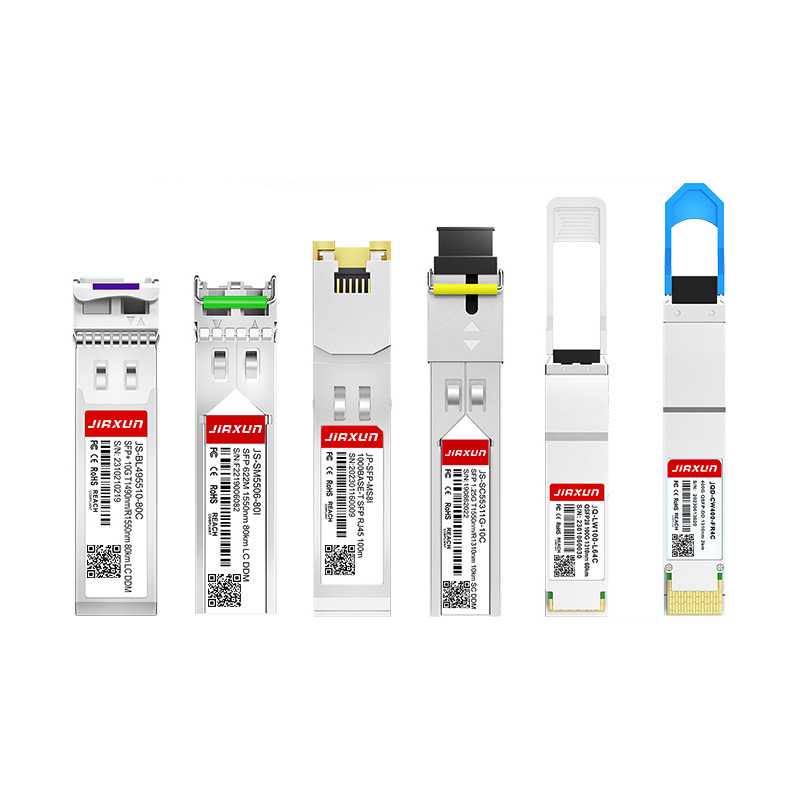
As global data traffic continues to grow rapidly, modern networks require faster and more efficient data transmission technologies. Optical transceivers play a critical role in fiber optic communication systems by converting electrical signals into optical signals for high-speed data transmission.
Complete Guide to SFP Modules and Optical Transceivers SFP, 10G SFP+, SFP28, QSFP28, QSFP-DD, 400G and 800G Modules Explained